Maybee, the bee

From maybe to done

Your ideas, from a first thought to finished work.

Maybee keeps every idea on one board, helps you pick the next step and lets an AI agent do the work with you. It comes with How I Premium, the accountability club for solopreneurs.

Runs on your computer · Your ideas stay in your own files

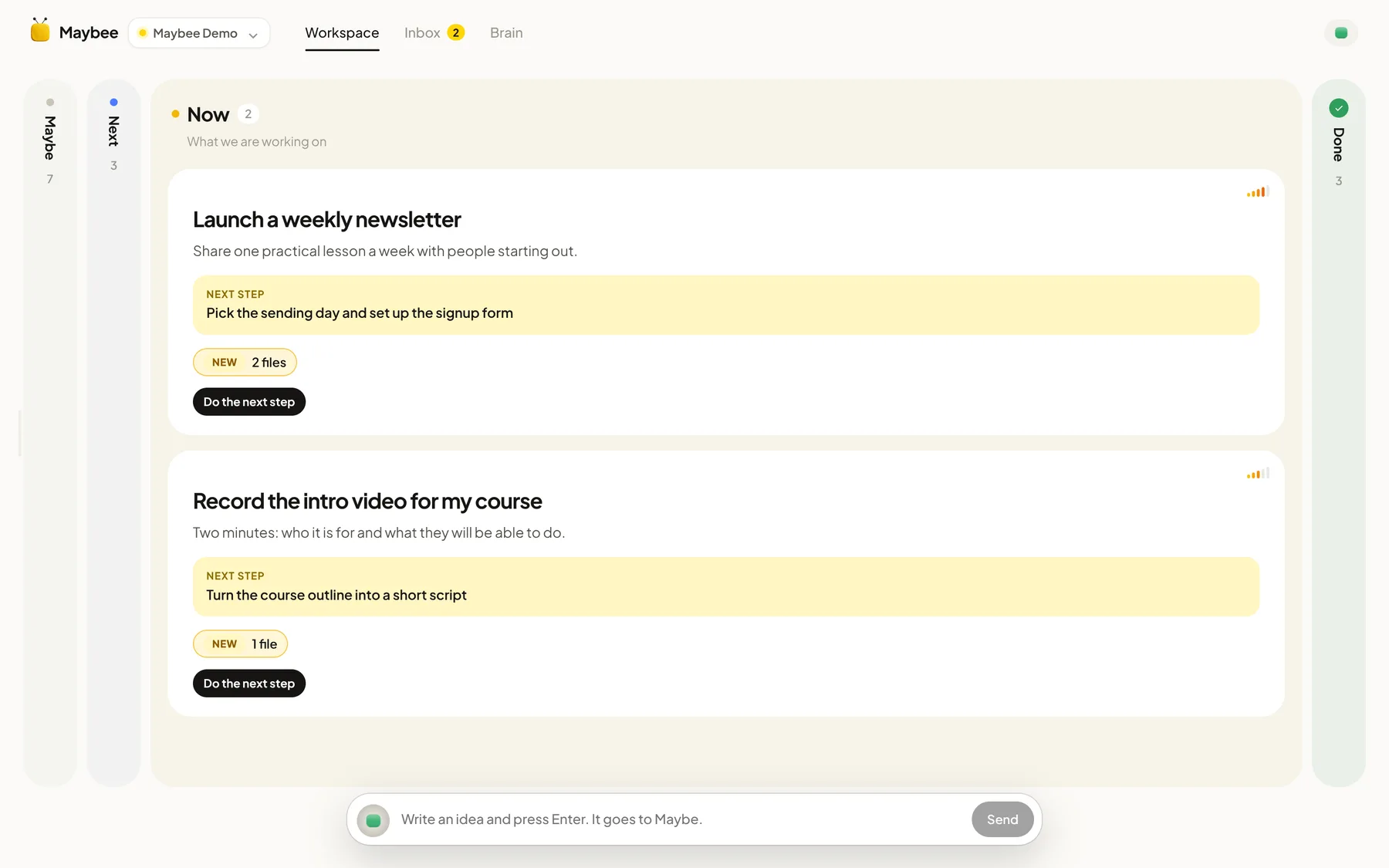
The Maybee board with the Now column open: two cards, each with its next step and a Do the next step button

The problem

Ideas are easy. Finishing them is the hard part.

🗂️Ideas everywhere

Notes app, chats, a doc from last month. The good ones get lost with the rest.

🌀Too many at once

Ten things started, nothing finished, and no idea which one matters most.

🧱Stuck on the first step

You know what you want. You just don’t know what to do today to get there.

How it works

One board. Four columns. Every idea moves toward done.

The board is the whole method: catch the idea, choose it, work on it, finish it.

Maybe→ Next→ Now→ Done
Maybe

Catch every idea in one place.

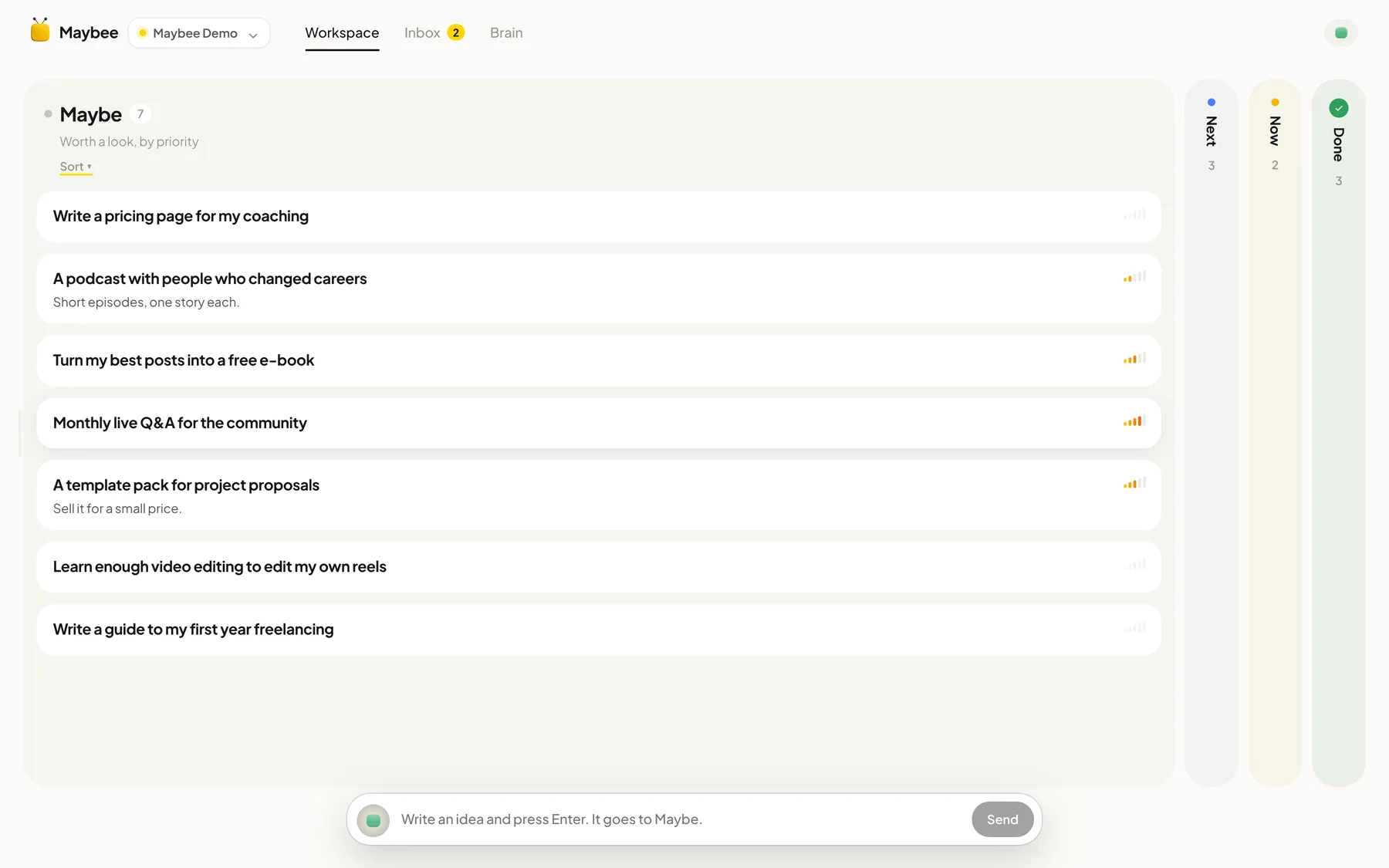
Type it in the bar at the bottom and press Enter. It lands in Maybe, where nothing is a commitment yet.

  • Rate an idea in a few taps and the best ones rise to the top
  • Ideas you decide against go to Not, with the reason why
The Maybe column with six ideas sorted by priority
Next

Choose what comes next.

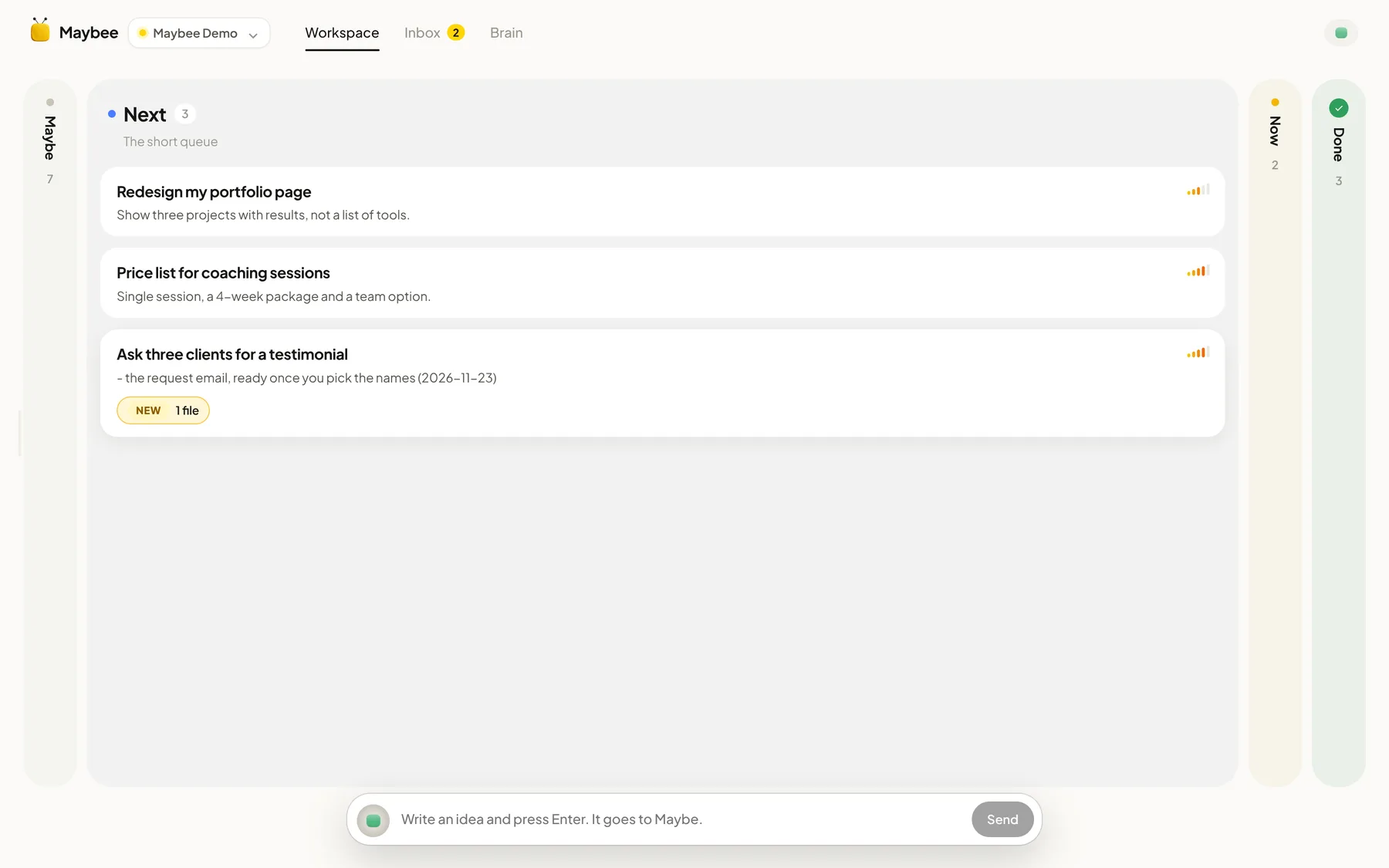
Pull a few ideas into Next. That’s your short list: what you will work on once there’s room.

  • Drag cards to put them in order
  • Move a card with one click, back or forward
The Next column with three cards
Now

Always know the next step.

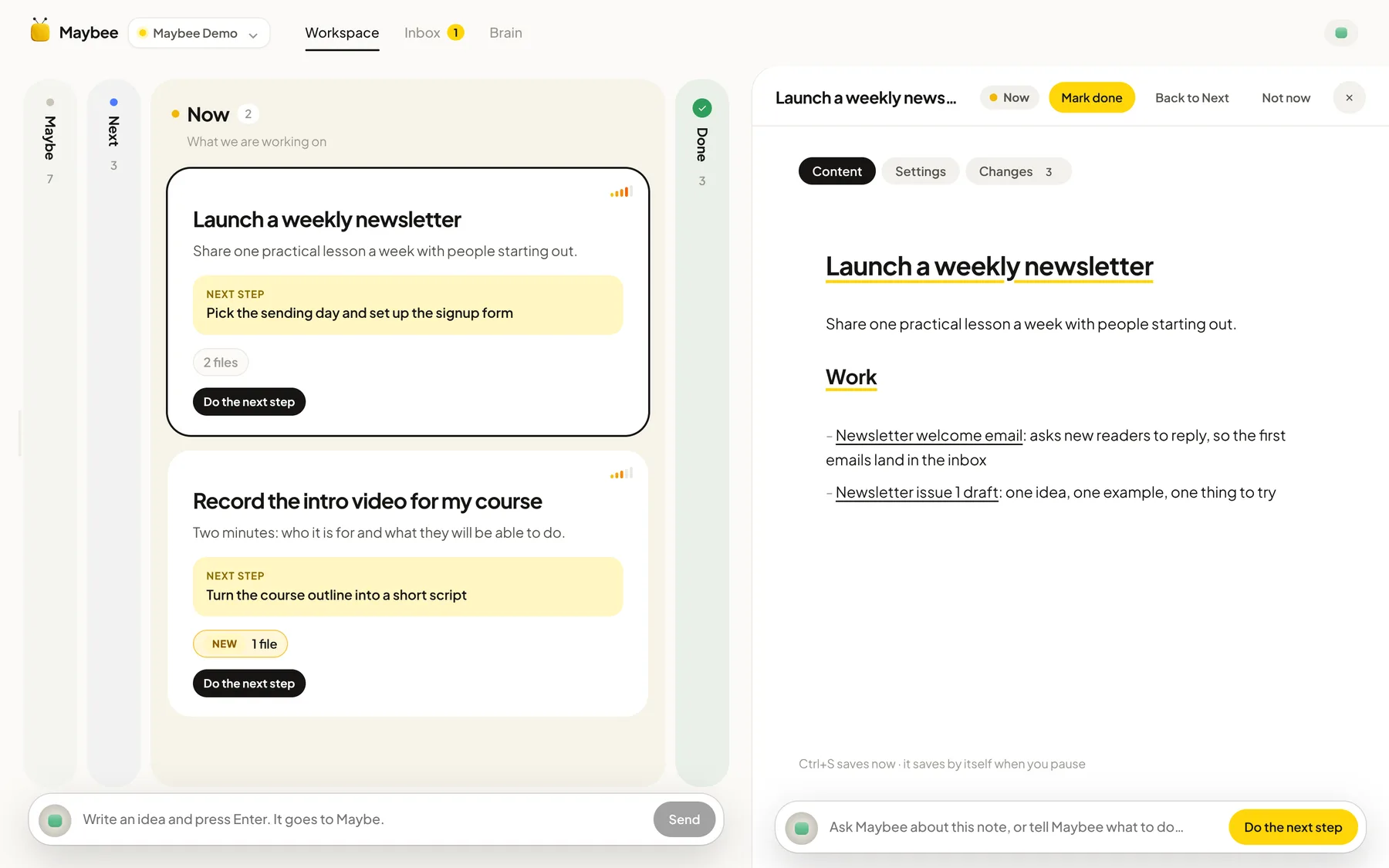
Every card in Now has one clear next step, so you always know what to do today. When it’s done, Maybee helps you pick the one after.

  • Only a couple of things in Now at a time
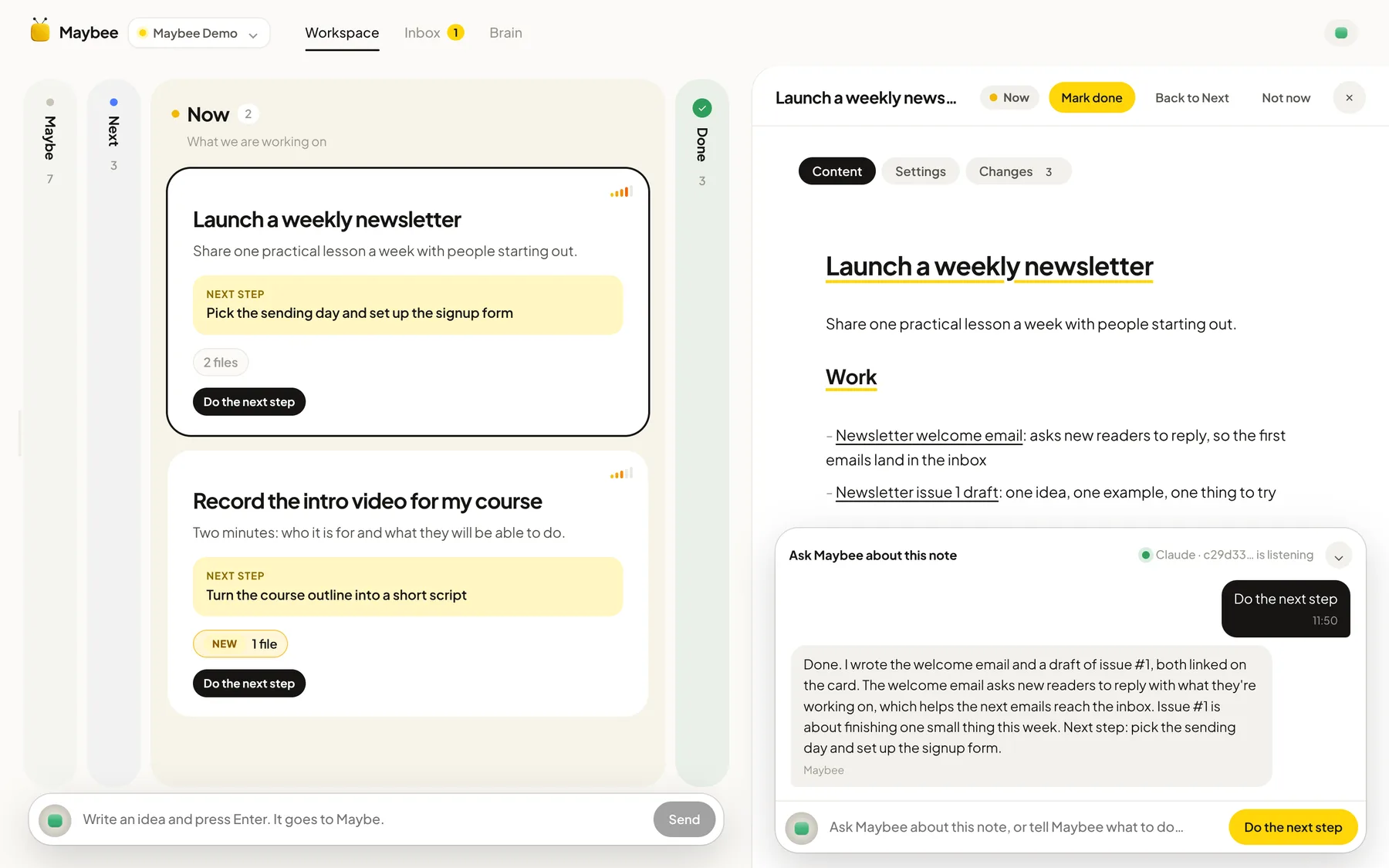
  • Open a card to see the whole note, its history and its settings, or let it fill the screen
  • Attach a PDF, a screenshot or a spreadsheet in any chat, and the agent reads it
A card opened next to the board, with Mark done and a chat to ask Maybee
Done

Finish, and see it.

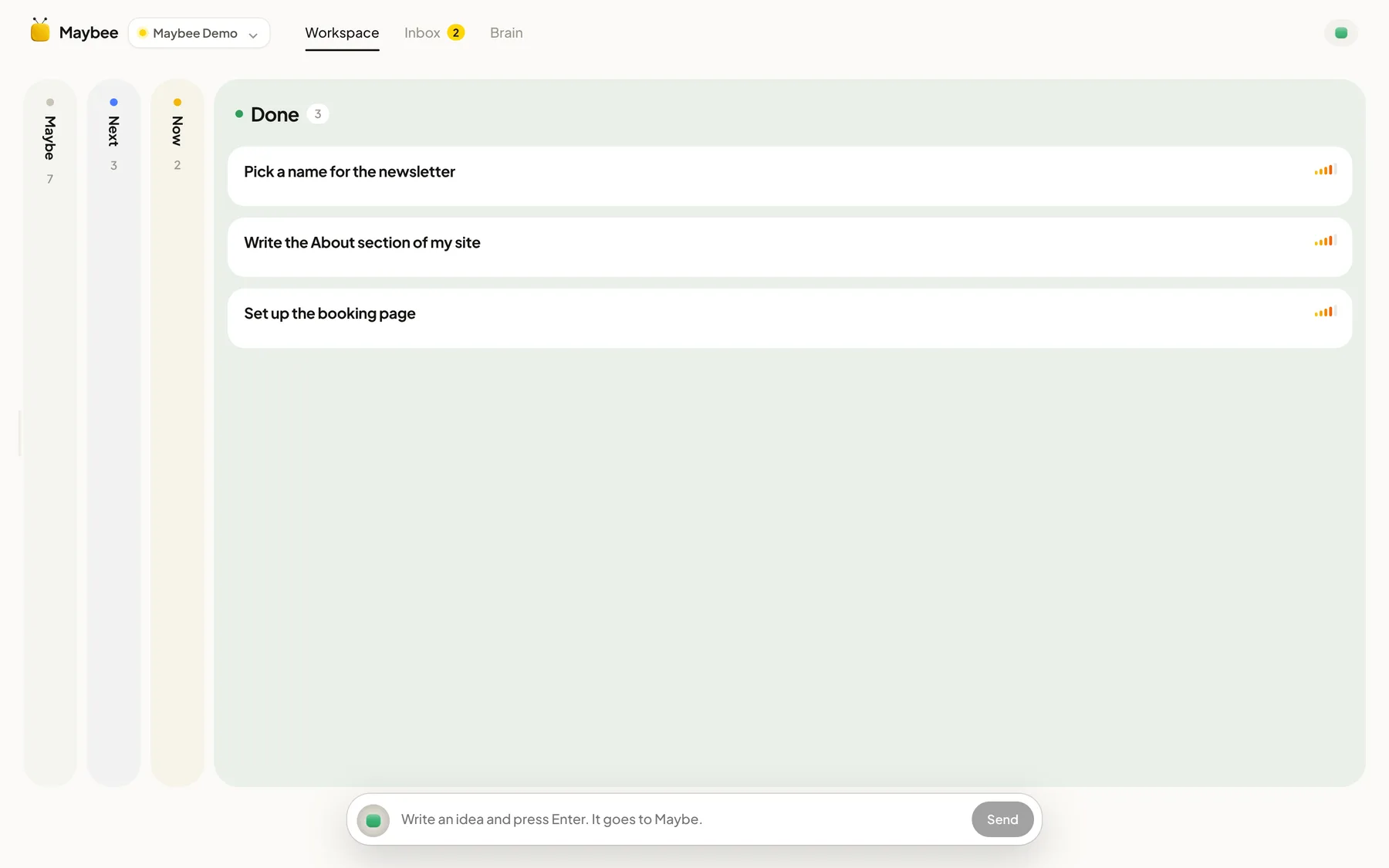
Mark done and the bee celebrates. Done keeps everything you finished, so on a slow week you can see how far you came.

The Done column with three finished cards

The agent

Click Do the next step. An agent does the work with you.

Maybee works with the AI assistant on your computer. It reads the card, does the step and leaves the result on the card for you to look at.

A card after Do the next step: the agent's reply in the card's chat, the two files it wrote linked on the card, and a new next step
A real run. One click on “Do the next step”: the agent wrote the welcome email and issue #1, linked both files on the card, and set the next step.
⚡One click per step

Drafts, research, outlines, files: the agent works on the step on the card and tells you when it’s ready.

Do the next step
🔁Routines that run on their own

Things you do every day or week run by themselves, and their results show up on the board.

🔒Your files, your computer

Maybee runs on your machine. Every idea is a plain text file in a folder you own, readable with or without Maybee.

Your inbox

What needs you, and what’s ready for you.

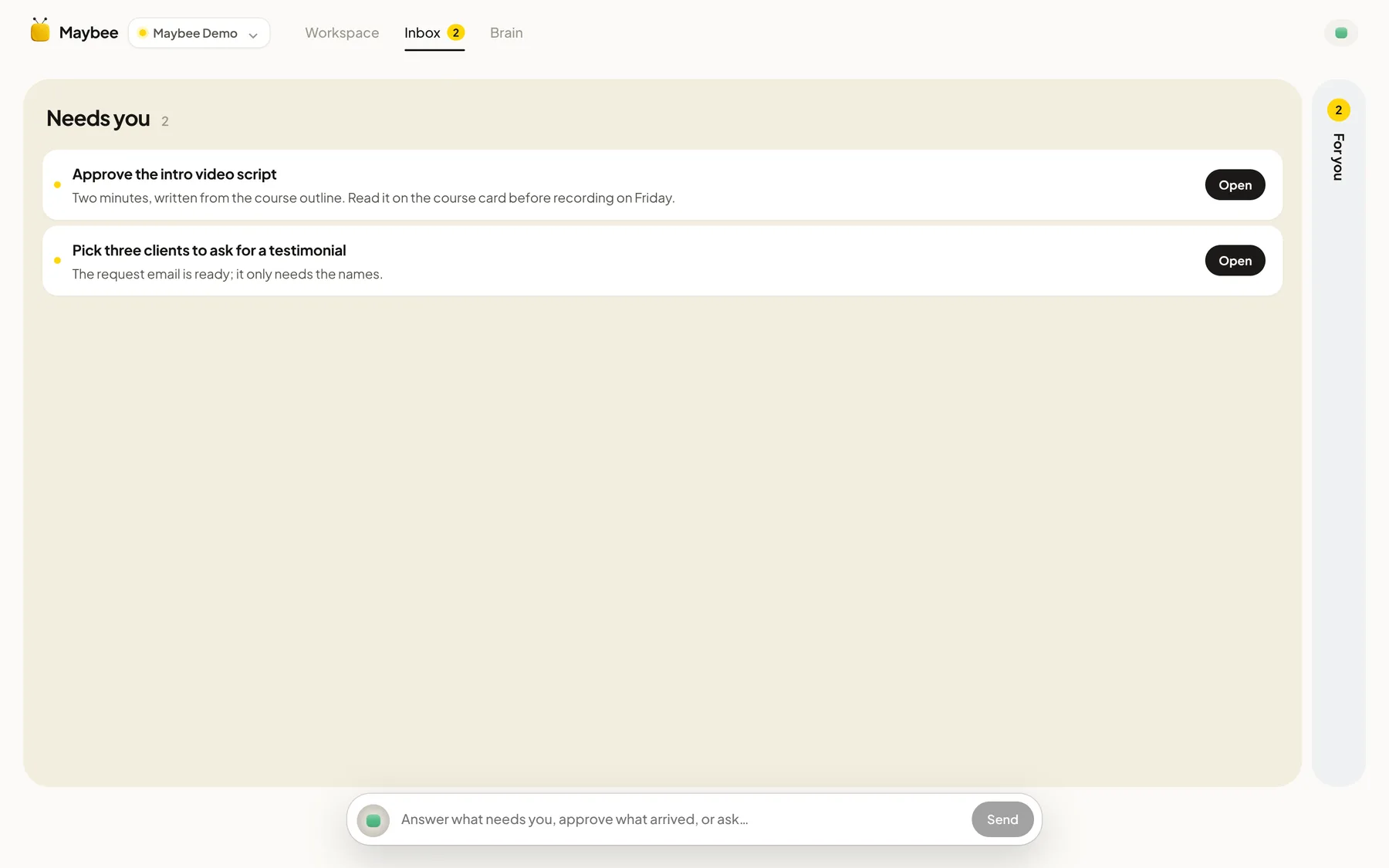
When the agent needs your OK, it asks in Needs you. When it finishes something, it lands in For you, one line per card, like mail.

  • Needs you: approve a script, pick a name, answer a question
  • For you: drafts, emails and files, with the card they came from
  • A chat at the bottom: answer and approve without leaving the inbox
The Inbox with Needs you open: approve the intro video script, and pick three clients to ask for a testimonial

Your second brain

A second brain, powered by AI.

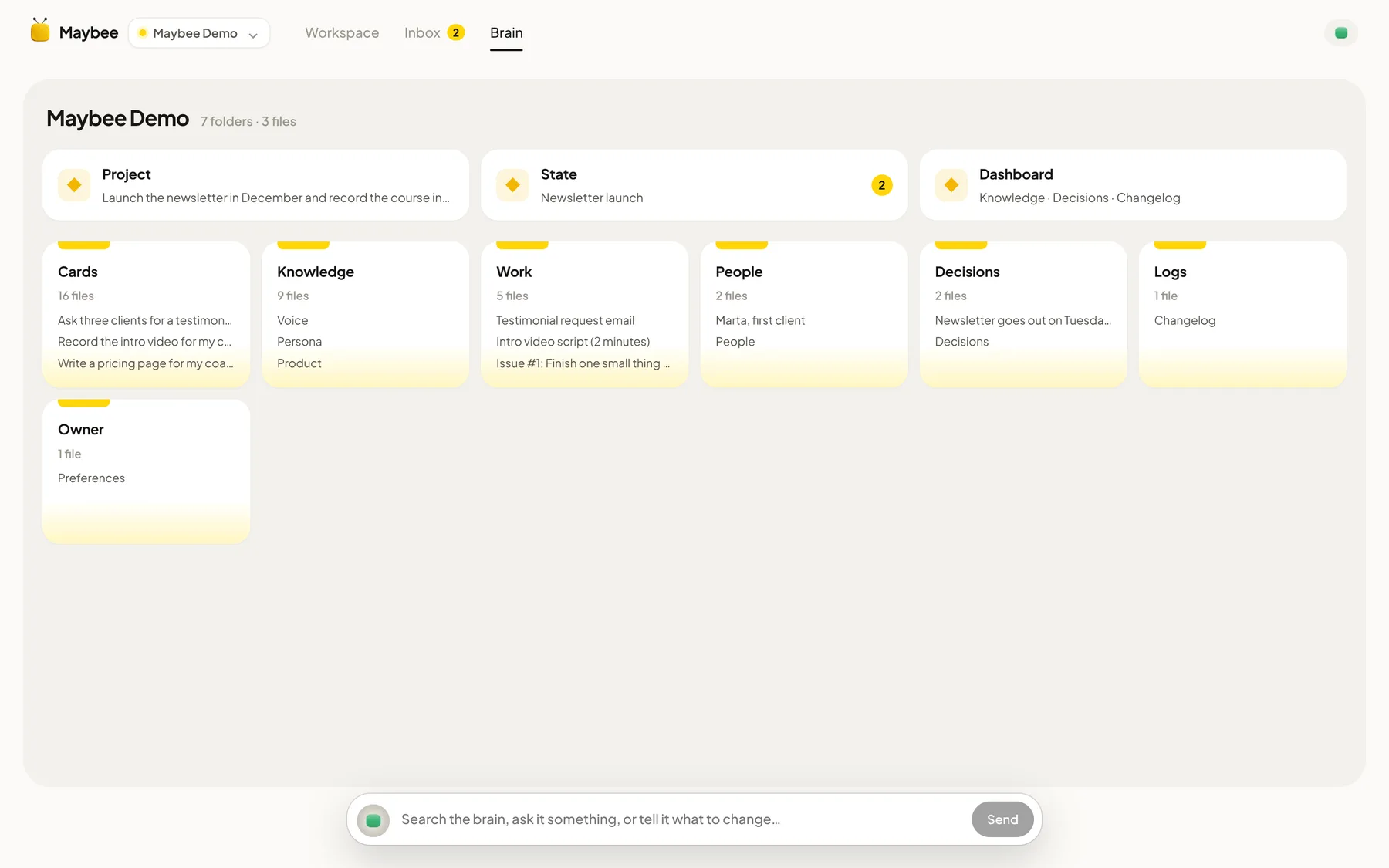
Maybee isn’t only a board. Next to your ideas it keeps what your project knows: who you serve, how you sound, what you decided and who you work with. It all lives in the Brain: browse it folder by folder, search it, or just ask it.

  • Knowledge: your audience, your offer, your voice
  • Decisions: what you chose and why, so you don’t decide twice
  • People: clients, partners and what you know about them
  • Work: everything the agent made for you

Ask the Brain a question and it answers from your files, with links. Tell it to change your goal or your voice and it updates the right file. Move or rename a file and every link to it follows.

The agent reads your knowledge before it writes anything, so a draft sounds like you and speaks to the right person. The more you add, the better it gets.

The Brain: the project, its state and its dashboard on top, then the folders: cards, knowledge, work, people, decisions

Private by design

Your ideas live on your computer. Not in our cloud.

There is no Maybee cloud and no Maybee account. Your second brain is a folder on your machine, and it stays yours.

💻Runs on your computer

Maybee is an app on your own machine. Your board and notes never go to a Maybee server, because there isn’t one.

📄Plain files you own

Every idea and note is a Markdown file in a folder you choose. Open it in any editor, back it up, sync it, or take it with you.

🔑Only your plan is checked

The one thing Maybee looks up online is whether you’re on How I Premium, on Skool. Your password and e-mail are not stored.

Maybee → How I

Maybee helps you do the work. How I makes sure you finish.

Tools alone don’t keep you going. People do. That’s why Maybee comes with How I, the accountability club for solopreneurs.

The tool

Maybee

Your ideas on one board, the next step always clear, and an agent that works on it with you.

  • 🗂️ Every idea on one board, from maybe to done
  • 👣 Always a clear next step
  • ⚡ An agent that does the step with one click
The people

How I

Solopreneurs building too, who see your next move, challenge it and celebrate when it’s done.

  • 💬 Honest feedback from people, not only AI
  • 🌍 Fresh eyes from other fields
  • 🫶 Accountability without guilt or shame

Free

Join the club.

  • Access to the accountability club
  • Honest feedback from people, not only AI
  • People who celebrate your wins
  • Maybee app
Join for free

Premium

The club plus Maybee.

  • Everything in Free
  • Maybee app: every idea on one board, from maybe to done
  • AI agent that works on your ideas with one click
  • Routines that run on their own every day
Get Premium

VIP

Premium plus a person in your corner.

  • Everything in Premium
  • Monthly 1-1 accountability call with Adal
  • Async support between calls
Get VIP

Questions

Good to know

How do I get Maybee?

Join How I on Premium or VIP. The install steps are inside the community. After you install it, sign in to Skool once: Maybee checks your plan and opens.

Where are my ideas stored?

On your computer, as plain text files in a folder you own. Maybee itself only talks to Skool, to check your How I plan. When the agent works on a card, your AI assistant reads it under its own terms.

What does the agent need?

An AI assistant running on your computer, such as Claude. Maybee sends it the card and the next step, and the assistant does the work in your folder.

Is it only for business ideas?

No. Anything you want to move from “maybe” to “done” fits: a side project, a course, content, a personal goal.

What happens if I leave Premium?

Maybee stops opening, but your ideas stay where they always were: in your files, readable with any text editor.

Turn your maybes into done.

Maybee and the How I club, together in How I Premium.

⚡ Access is unlocked instantly.